


Wouldn’t it be great if there was a WordPress tool that you could use to quickly scan a site for performance, SEO and security? Well, now there is – and you can try her out for free. Say hello to WP Checkup.
What we’ve done is bring all of our experience in speeding up your site (WP Smush, Hummingbird), keeping it secure (Defender) and improving your SEO (SmartCrawl) and rolled it into one service that will identify any issues you might have and give you hints and tips on how to fix them.

And, of course, if you have any issues we’ve got an entire expert WordPress support team to help you out 24/7, too.
But first up, let’s take you through a scan so you can see how WP Checkup works.
Here are the results of a scan I ran on the website for a local football club I volunteer for – and it looks like I’ve got some things to improve!!!
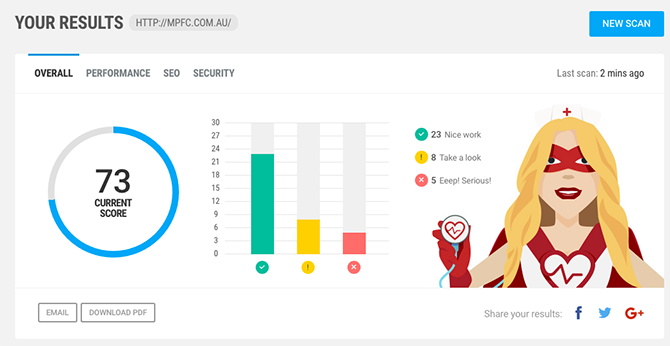
Performance Scanning – That Tells You Exactly How to Fix Your Site
Let’s take a look through the results I got for my football’s club’s website.
The reason you do performance tweaking – besides the fact that having a speedy website is awesome! – is because it helps you rank better with Google. So the first section of results hooks straight into the Google PageSpeed Insights API to let you know what you’re doing well and what you could improve.
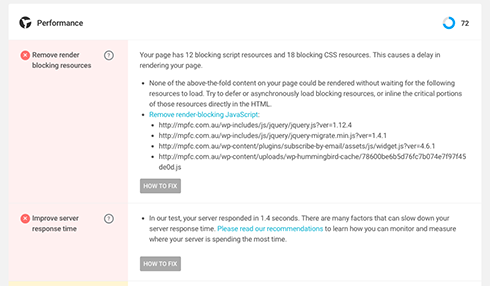
So it looks like Google is definitely not happy with my render blocking resources, of which there are very many!
In fact, I’m only getting a 57/100 here, which is pretty painful.
And my server response time is also not great (although that’s a 68/100).
So how to sort out blocking resources?
Well, I’m glad you asked 🙂
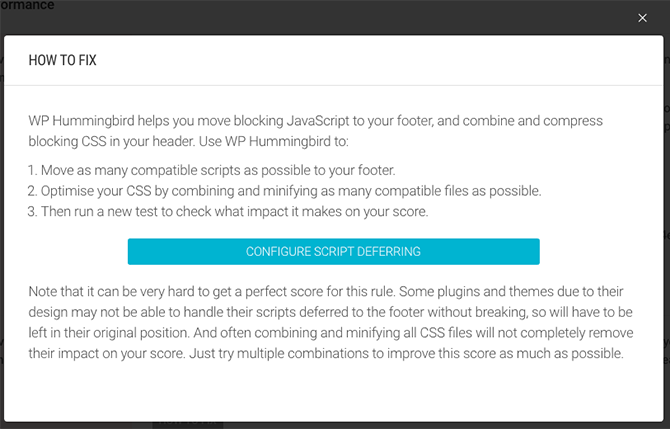
So for every problem there’s a solution, and in this case WP Checkup will point you to the minification tools offered by Hummingbird that’ll allow you to position these resources in the footer. It will even detect whether Hummingbird is installed and provide you with a direct link to the section… and of course help you through any issues.
SEO Scanning – That’s Straight Up Simple
So while we’re on the subject of Google, we’ve also created a scan that assesses your WordPress site for all the common technical SEO goodies.
And the scan I just ran on my football club’s website found a bunch of things I can do better!
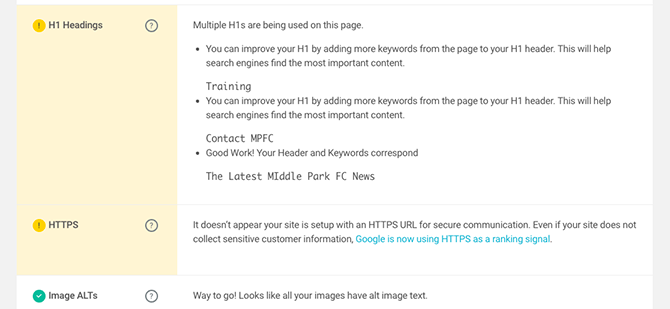
Now, while I’m delighted that the images all have alt text (something I’m really bad at remembering), there’s a serious H1 issue there and I’ve clearly somehow stuffed up the HTTPS setup, because it’s supposed to be sorted, but clearly isn’t.
Work to do!
Security Scanning – So You Can Harden Like A Hero
And last, but by no means least, we’ve also created a security scan for you. Oh yeh!
And while it appears I’ve done some things right… I’ve also got a pretty serious issue on my site.
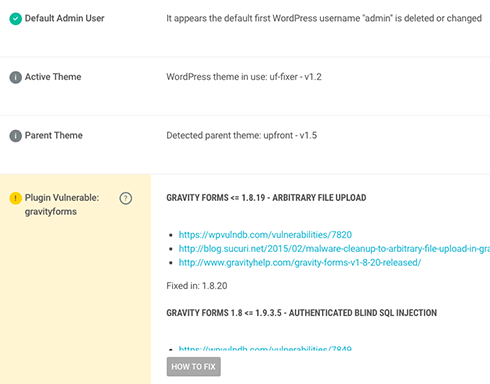
So first up, I’ve removed the admin username, which is a great start in terms of frustrating all those automated hackers.
However! That right there is a potential serious Gravity Forms security vulnerability that needs fixing.
Although as the version number couldn’t be determined, it’s hopefully nothing too bad… Let’s go do a full Defender scan from within the site and take a look.
Scan running…
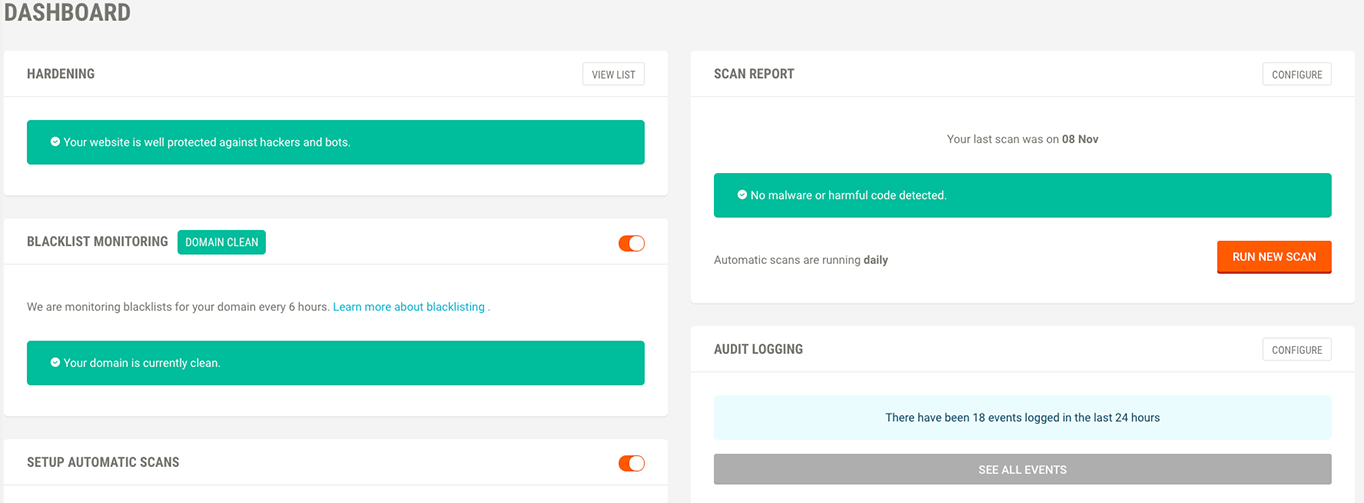
Aaaand… It’s all good. Phew 🙂
PDF Downloads, Email Reports and Mooooooooore…
And with every scan you get a nice PDF download and the facility to email yourself (or, say, your client) the report.
Useful, we hope!
So why not go try a WP Checkup for yourself today.
BUT we’re not done yet, not by a long shot.
We’re aiming to make this by far the most useful, accurate and insightful scanning tool available for any WordPress site, and we’re super, super keen to get your feedback, feature requests, and critiques.
So please let us know exactly how we can improve this for you in the comments.